Optimizing TV series quality in Sonarr using TRaSH guides custom formats
The following guide was contributed by @LayeZee, Elf-venger and Arr-Ninja!
Below you'll find an ELI5 guide to importing the 1080p version of the TRaSH Guides into your Sonarr for better compatibility with your devices.
(This isn't a 1 size fits all but it's close)
Too complicated? Do it with ElfBot!
There's a simpler way, if you don't care to run through the process yourself. See Sonarr's docs for details!
Process
Below I'm going to explain like you're 5 and show you how to import custom formats, I have another guide for Radarr showing these steps already, so if you've joined me here from that guide please skip to step 2 where you'll find the JSON codes you came here for, if you've just joined me for Sonarr please read on how to import a custom format JSON code into Sonarr!
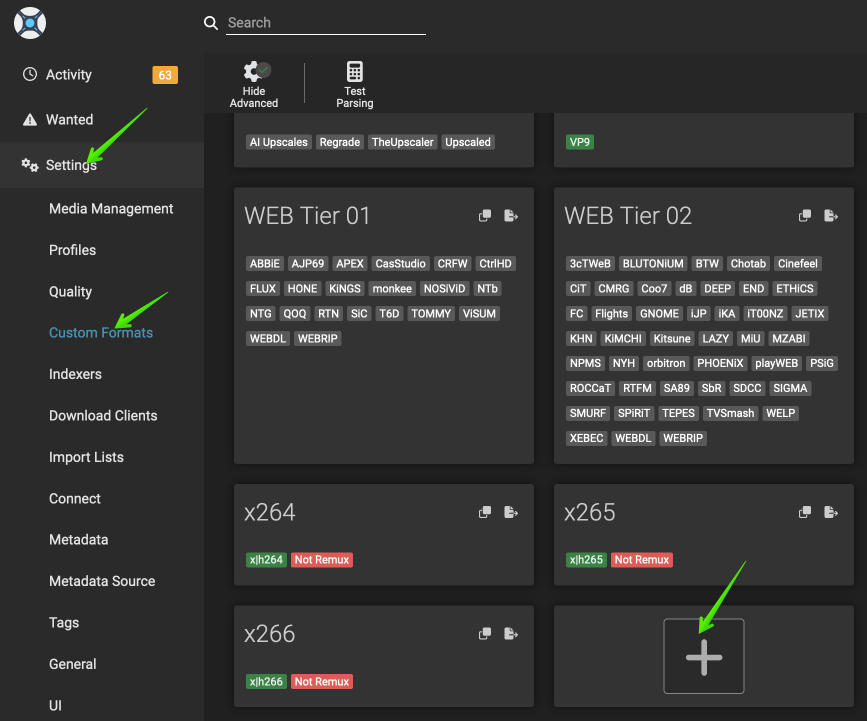
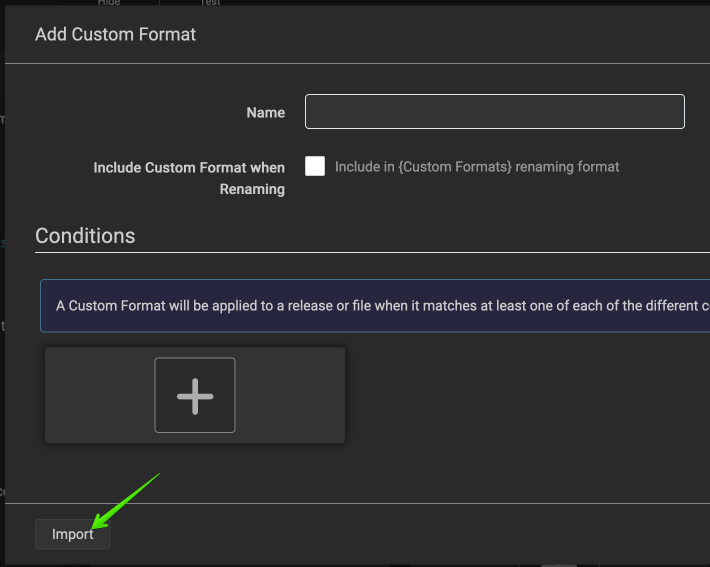
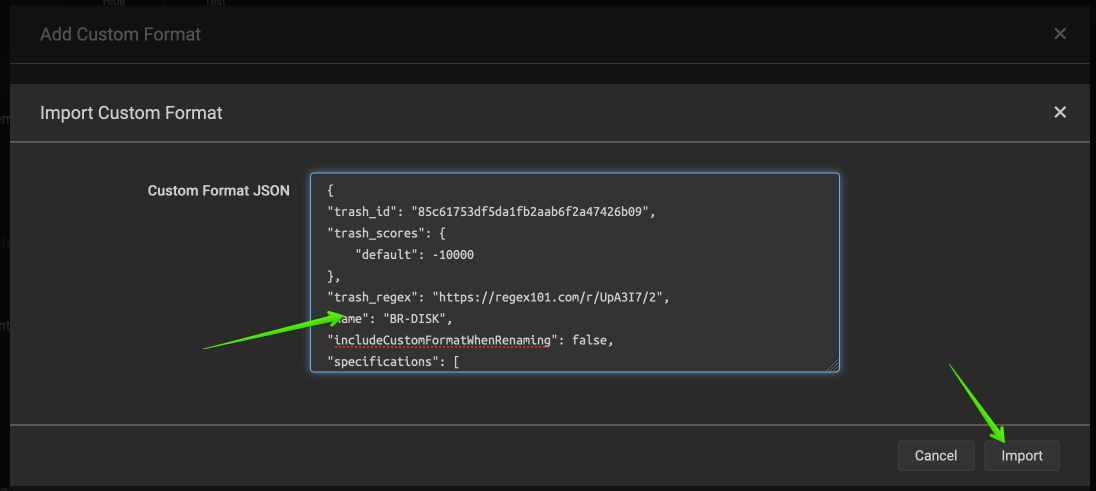
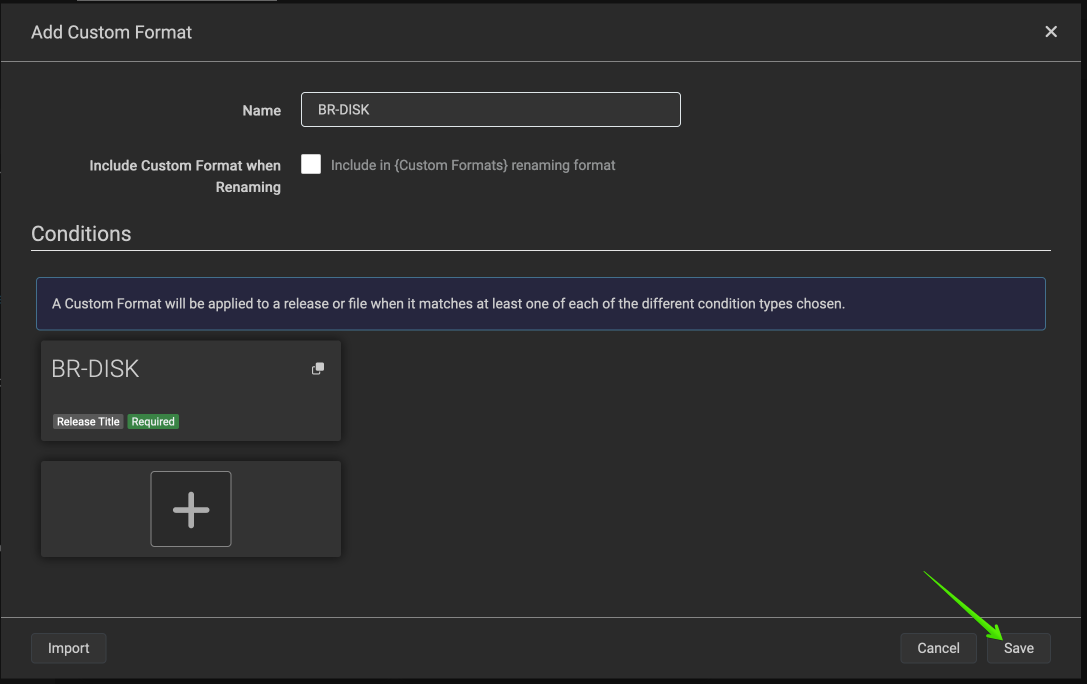
First off, load Sonarr from your Elfhosted dashboard and navigate to your settings page. Once there, click on Custom Formats and in the middle of the page you should see a + button, click this, you'll then be presented with a page asking you for a JSON code, (don't worry I'll provide the codes) you then paste the code into the box and once done, at the lower right of the screen you press import and then Save. Then the process begins again, rinse and repeat. + > Import > Paste Code > Import > Save.
Here are screenshots illustrating the steps:
Now you know how to import a JSON code let's begin!
Full setup guide
The step-by-step setup is available to logged-in customers. Sign in to continue →