Optimizing Movie quality in Radarr using TRaSH guides custom formats
The following guide was contributed by @LayeZee, Elf-venger and Arr-Ninja!
Below you'll find an ELI5 guide to importing the 1080p version of the TRaSH Guides into your Radarr for better compatibility with your devices.
(This isn't a 1 size fits all but it's close)
Too complicated? Do it with ElfBot!
There's a simpler way, if you don't care to run through the process yourself. See Radarr for details!
Process
Okay so let's begin.
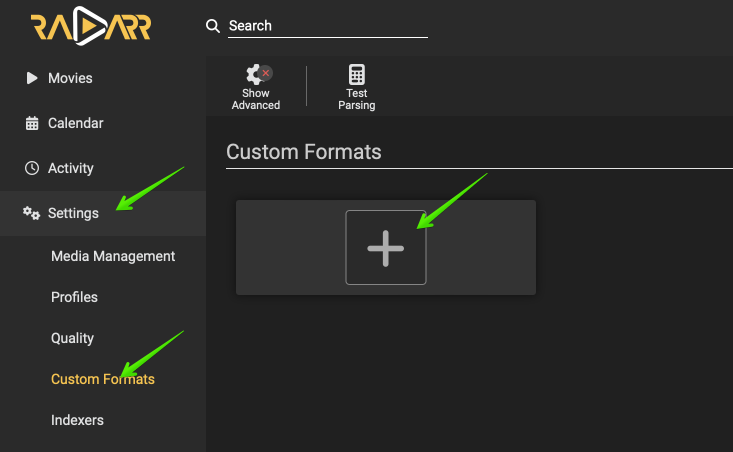
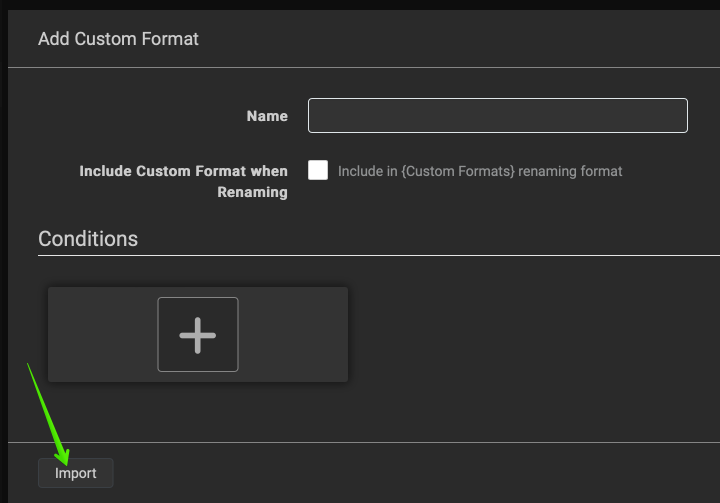
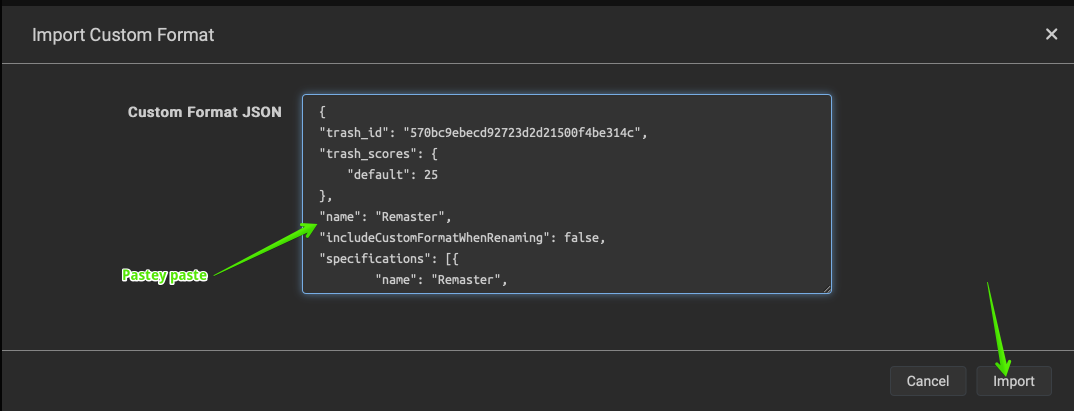
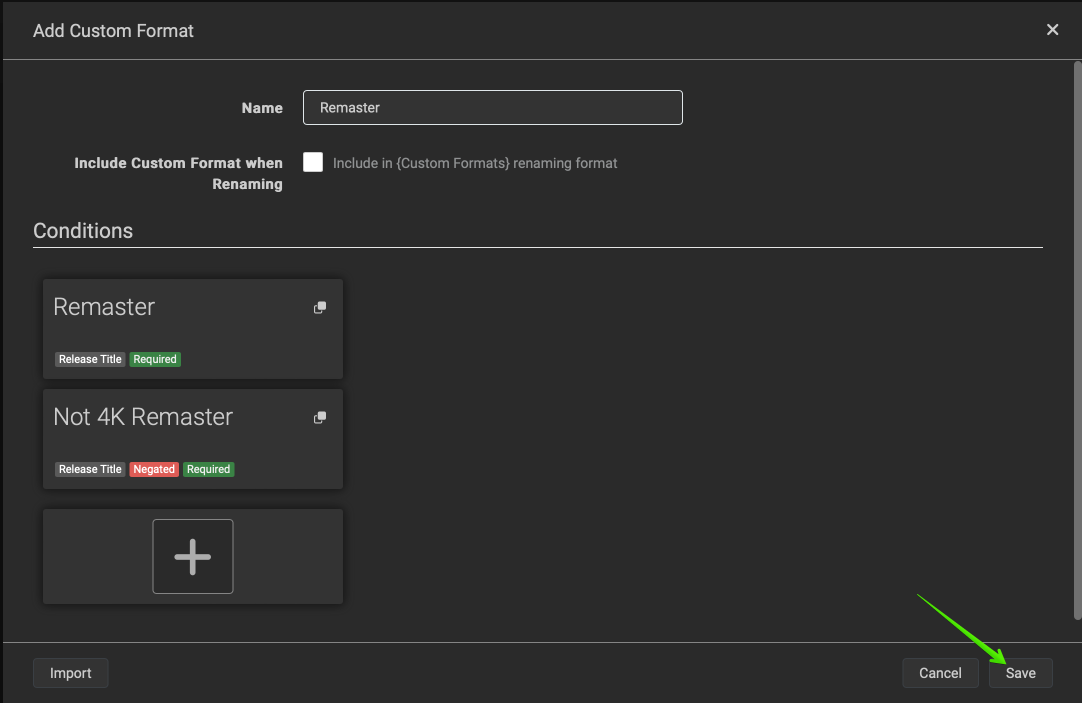
You'll need to first go to radarr and open your Settings page then click on Custom Formats, after doing this press the + button and on the page that is displayed and at the bottom left click import, now the page displayed will be asking for a JSON code, once you've pasted the JSON code you'll save, confirm the custom formats are added, and then press Save at the bottom right of the screen and then the process begins again.
I'll provide the codes below but essentially this step 1 is what we'll be following until stated otherwise so please familiarize yourselves with the process of adding a custom format and copy and pasting the JSON code.
Here are screenshots illustrating the steps:
Full setup guide
The step-by-step setup is available to logged-in customers. Sign in to continue →