Playing Minecraft Together on Xbox, iPad, Switch and PC
Most households do not own one kind of device. One child has a tablet, another plays on the family computer, and a cousin has a Switch. They all have Minecraft, they all want to build in the same world, and by default they cannot.
This is not a settings problem and it is not something anybody did wrong. It is two different programs that share a name.
Why there are two Minecrafts
Java Edition is the original. It runs on Windows, macOS and Linux, and it is the one with the enormous modding and plugin ecosystem behind it.
Bedrock Edition is the rewrite that made Minecraft run everywhere else. It is what you get on Xbox, PlayStation, Switch, iOS, Android, and from the Microsoft Store on Windows.
They play almost identically and they are sold under the same name, which is why this catches everybody out. Underneath they are separate programs that speak different network protocols over different transports. A Bedrock client asked to connect to a Java server does not get an error explaining the situation. It simply cannot find it.
Buying Minecraft on PC today gets you both
A PC purchase includes Java and Bedrock. So a child on a computer can install Java Edition and join a Java server. A child on a console cannot, because Java Edition does not exist for consoles at all.
What changes it
Two open source projects, both installed on the server rather than on anybody's device.
Geyser sits on a Java server and speaks Bedrock's protocol to the outside world. When a Bedrock player connects, Geyser translates their traffic into what the Java server expects, and translates the world back the other way. From the child's side they simply joined a server. From the server's side they look like an ordinary player.
Floodgate solves the second half. Without it, a Bedrock player connecting through Geyser still has to prove they own a Java Edition account, which defeats the point. Floodgate lets them authenticate with the Xbox Live account they already have, so nobody buys the game twice.
Both are MIT licensed and actively developed. Neither requires the players to install anything.
What works, and what does not
Worth setting expectations before somebody's birthday depends on it.
Works well: building together, exploring the same world, seeing each other, chests and redstone, most of what a family actually does in Minecraft.
Works with small differences: some interface elements are rendered by Bedrock's own UI, so a few menus look different to the console player than to the computer player. Inventory management in particular feels different.
Does not work: mods. Geyser is a plugin for a Paper or Spigot server, and switching that server to Fabric, Forge or NeoForge stops it loading, which removes the console and tablet players entirely. Bedrock clients also have no way to render blocks and items that mods invent. A modded server is a Java only server, and that is a decision to make deliberately rather than discover.
Setting it up yourself
On a Paper or Spigot server:
- Download the Spigot builds of Geyser and Floodgate and put both
.jar files in the server's plugins folder. - Start the server once so both plugins write their default configuration, then stop it.
- Tell Geyser to use Floodgate. This is the step everybody misses. Geyser does not detect Floodgate on its own. In
plugins/Geyser-Spigot/config.yml, set auth-type to floodgate. Left at its default of online, a child on an iPad is asked to sign in with a Java account, which they cannot do, and the whole thing looks like a network fault rather than a configuration one. - Open the Bedrock port. Geyser listens on UDP 19132 by default, which is separate from the Java port. Bedrock players need that port reachable, and they have to type it.
- Add both accounts to the allowlist. A child on a tablet and the same child on a computer are two different accounts.
One child on two devices is two entries
This surprises everybody. Floodgate gives Bedrock players a distinguishing prefix so their names cannot collide with Java names, which means the same human on an iPad and on a laptop needs two entries on your allowlist. Add both, or the evening they switch devices becomes a support question.
What we do instead
Geyser and Floodgate are installed and configured on every Minecraft server we run, including the auth-type step above, so crossplay works from the first boot rather than after an evening of reading.
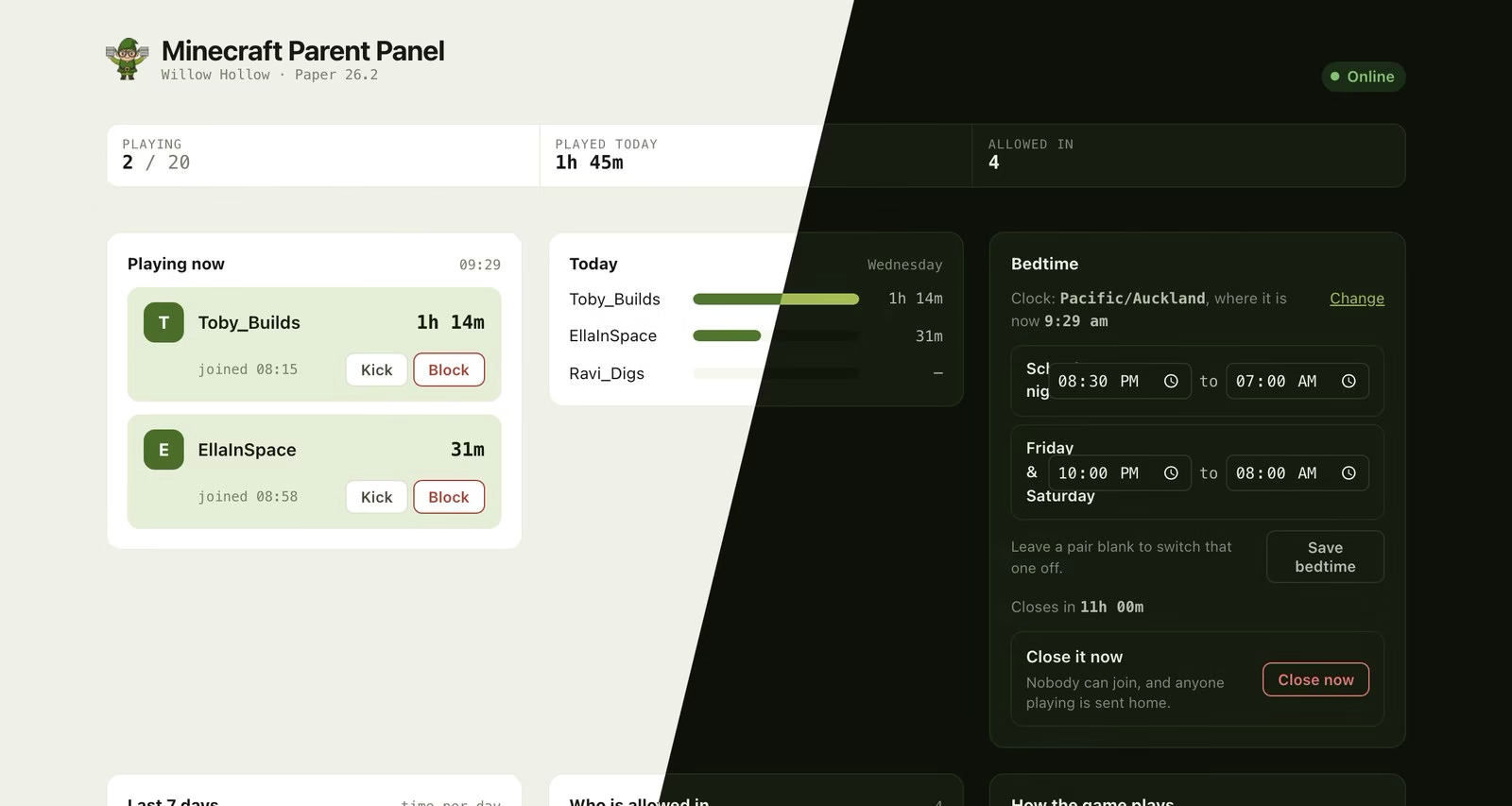
Java and Bedrock players appear side by side in the panel, and a child who plays on both devices counts as one person. The players are made up; the panel is not.
The panel handles the parts that stay awkward:
- The invite card writes out the right address for whichever kind of device that child plays on, filled in and ready to send. Computer players get an address with no port. Console, phone and tablet players get the address plus the port, which they cannot guess.
- Adding somebody to the allowlist works either way. Type the name however they normally write it. The panel works out whether it is a Java or a Bedrock account, adds the right one, and tells you which it added.
- A child who plays on both is one person in your playtime history rather than two, so an hour on the iPad and an hour on the laptop reads as two hours for that child.
Start a trial of Minecraft for Families See the app page
Frequently asked questions
Can Java and Bedrock players play together?
Not on an ordinary server. A Java server running Geyser can accept Bedrock players, which is what makes a mixed household possible.
Do console players need to buy Java Edition?
No, provided the server runs Floodgate as well as Geyser. They join with the edition they already own.
Which devices are Bedrock?
Xbox, PlayStation, Nintendo Switch, iOS and Android, and the Microsoft Store version for Windows. Java Edition is Windows, macOS and Linux only.
Why does my child's console say it cannot find the server?
Two usual causes. Either the Bedrock port was not entered, since console and tablet players need the address and the port while computer players need only the address, or the account is not on the allowlist under its Bedrock form.
Does crossplay work with mods?
No. A modded server drops Bedrock support, and Bedrock clients cannot render modded content. Plugins are different: Paper plugins run server side, change nothing on the client, and work fine alongside crossplay.
Geyser does the translation on the server, so there is some overhead per Bedrock player. At household scale, meaning a handful of children rather than a public community, it is not the thing that will limit you.