Family Hosting Guides for Parents
Guides for the adult who ends up running it, whether that is on a machine in the spare room or hosted here. Game servers for the children who play together, and media for the ones who watch.
Every household hits the same wall, and it is the same wall in both cases. Getting the thing running is well covered elsewhere on the internet. What is not well covered is the second half: once it is always on, it is always on at bedtime too, it is reachable by anybody who learns the address, and nothing tells you how long anyone has been on it.
These guides cover that second half, and they are written to be useful whether or not you host with us.
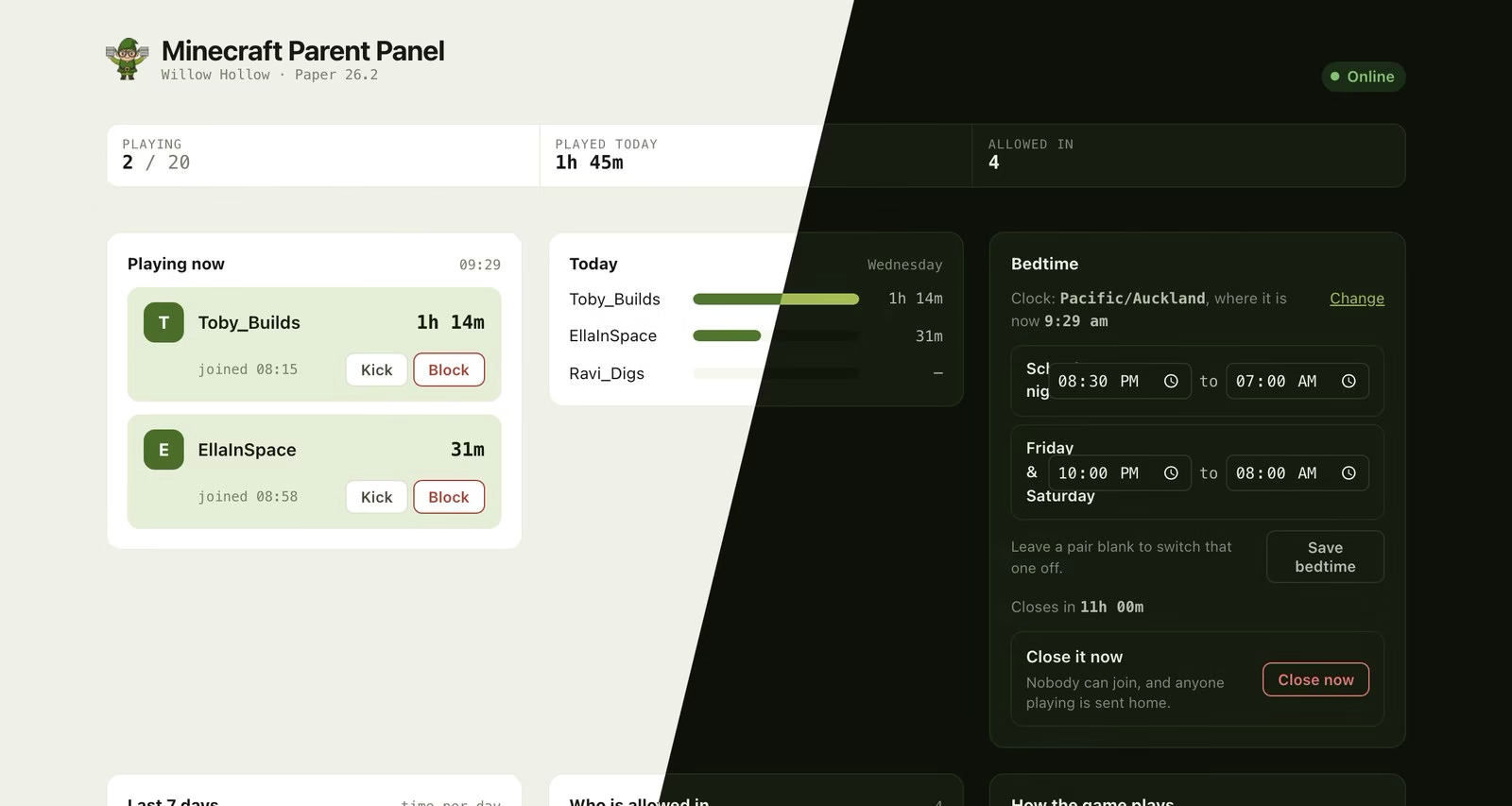
The panel our Minecraft and Terraria servers ship with. The players are made up; the panel is not.
Start here
Watching
Playing
What we host
Built around one idea, whether the children are playing or watching: the person who pays for it can see what is happening and stop it when they need to.
-
JellyStreams, included with the AIOMagic Bundle. A profile per person, kids' libraries filtered by certification, a daily screen-time cap, and a notice on your phone when somebody starts watching.
-
Minecraft, at $9/mo. Console, phone, tablet and computer players in one world, a panel showing who is playing and for how long, and a bedtime that closes the world on its own.
- Terraria, at $9/mo. The same panel and the same bedtime, for the PC crowd.
See Minecraft for Families See Terraria for Families See the AIOMagic Bundle
Is hosting worth it?
Not always, and it is worth being honest about when it is not.
Running it at home is fine if one person uses it most of the time, everybody is on the same network, and nobody minds that it is only available when that machine is switched on. A spare laptop and twenty minutes will get you there for nothing.
Hosting starts to earn its money when the players are in different houses, when you are tired of being the reason nobody can play, when you would rather not forward a port from the internet to a machine on your home network, or when a world somebody has spent months on lives on a drive with no backup.
The guides above assume nothing either way. Where a step is genuinely easier because somebody else runs the server, we say so and then explain how to do it yourself anyway.