jfa
Updated
jellyfin-accounts (JFA) is a better way to manage your Jellyfin users.
Get a 7-day trial of ElfHosted jfa! 
Features include:
- Send invite links to your users, let them sign up themselves
- Create setting profiles to restrict permissions of new users
- Handles password resets without your intervention
- Enforce sign-up requirements:
- Password strength
- Contact method verification
- CAPTCHA
- Send messages & notifications to your users (email, discord, telegram, matrix available)
- Set accounts to expire after a specified time
- Manage your users in bulk
- More
How do I access jfa?
jfa is available:
- From your dashboard: https://your-username.elfhosted.com
- Directly: https://your-username-jfa.elfhosted.com
Signed-in users see their own URLs
The addresses above show the general pattern. Sign in and these become your personal, clickable links.
Info
jfa is an open-source tool. ElfHosted provides hosting infrastructure only. Users are responsible for their use of this service in compliance with applicable laws and third-party terms of service.
How do I set it up?
Here's a series of screenshots to illustrate, but TL;DR, use the following settings:
TL;DR
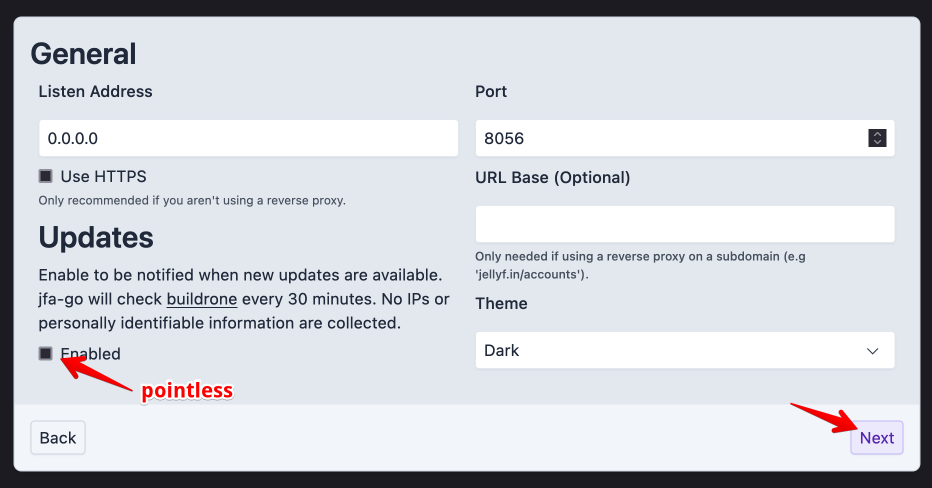
- Disable updates (we roll these out for you anyway)
- When setting up connection to Jellyfin, use these settings:
- Server Address (Internal):
http://jellyfin:8096 - Server Address (External):
https://<your username>-jfa.<domain>. Replace<domain>with the domain in your dashboard's address (for exampleelfhosted.com).
- Server Address (Internal):
- If connecting to Ombi, use
http://ombi:5000for connection
Step-by-step
Initial setup:
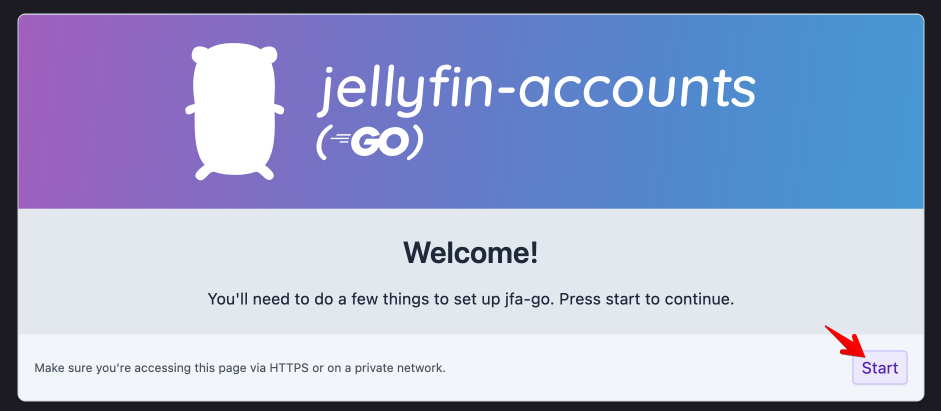
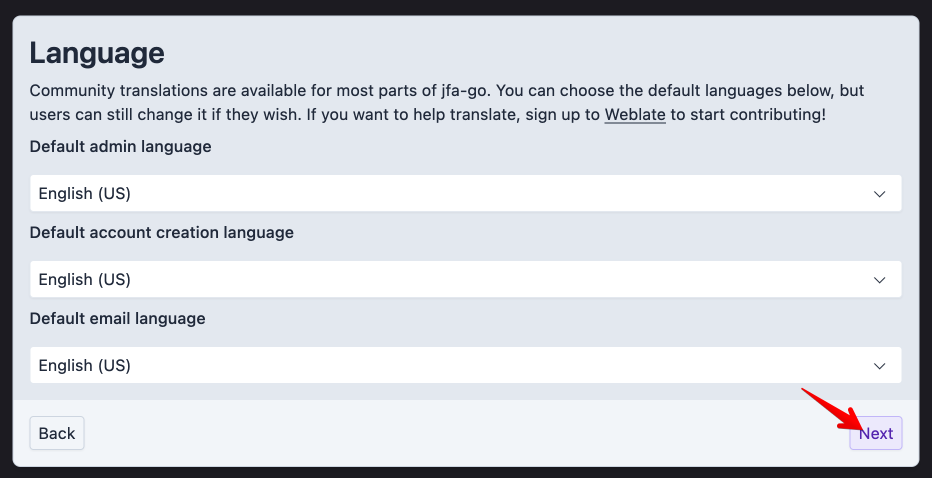
Pick language:
General setup:
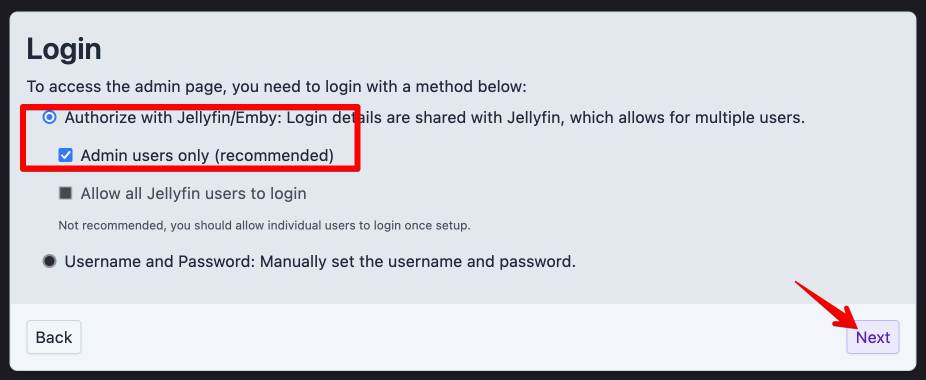
Configure login:
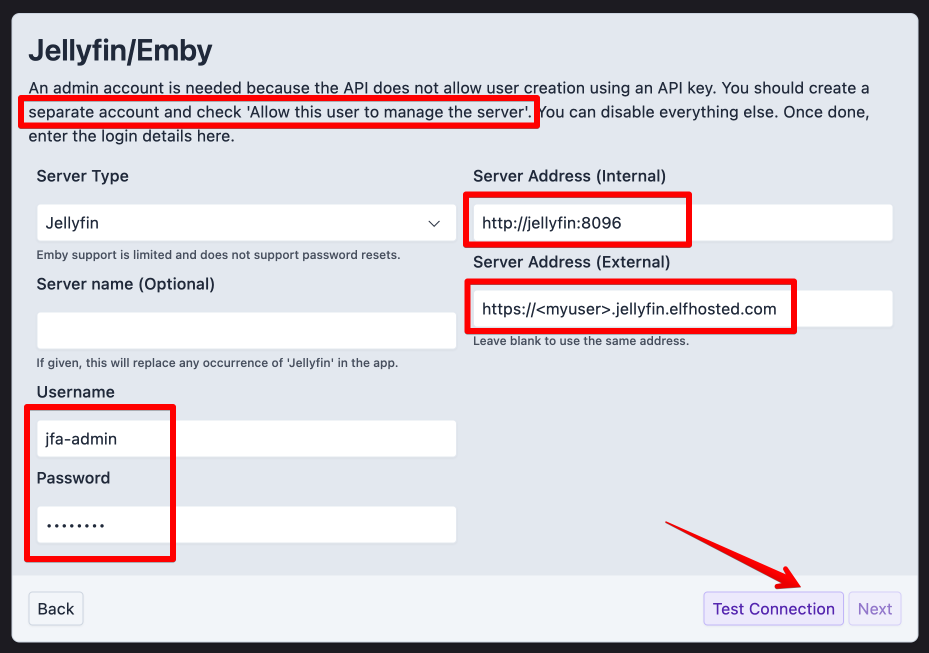
Configure Jellyfin Integration.
- When setting up connection to Jellyfin, use these settings:
- Server Address (Internal):
http://jellyfin:8096 - Server Address (External):
https://<your username>.jfa.<domain>
- Server Address (Internal):
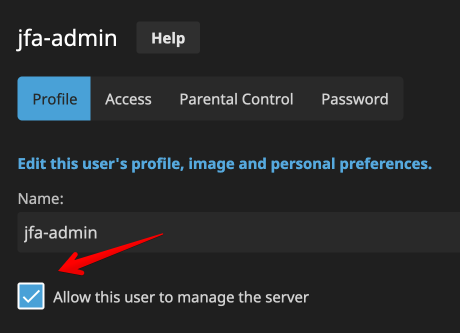
It's recommended to create a dedicated Jellyfin user for JFA to use:
Here's what the Jellyfin user setup looks like:
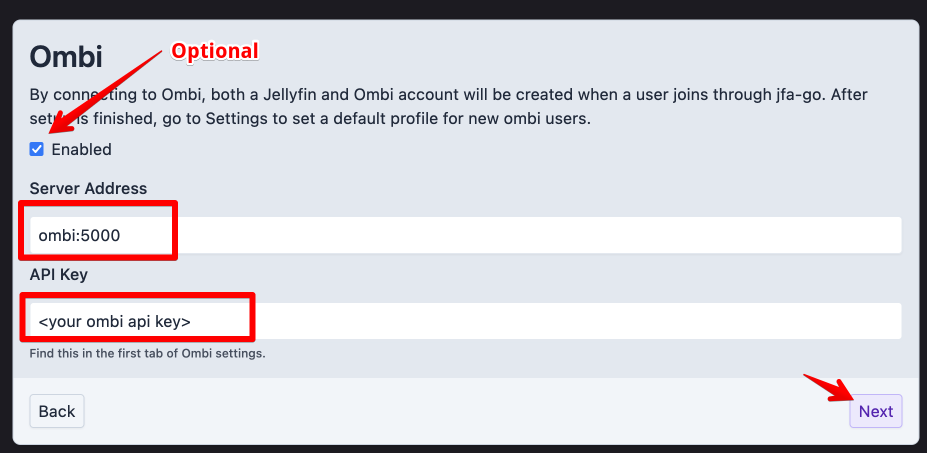
If using Ombi integration, set Ombi to ombi:5000:
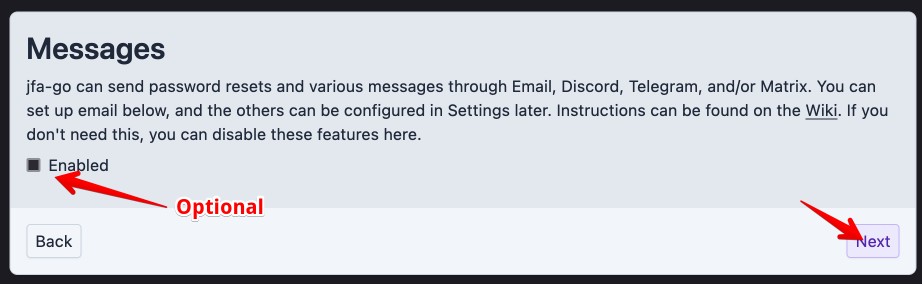
Setup (optional) messaging support
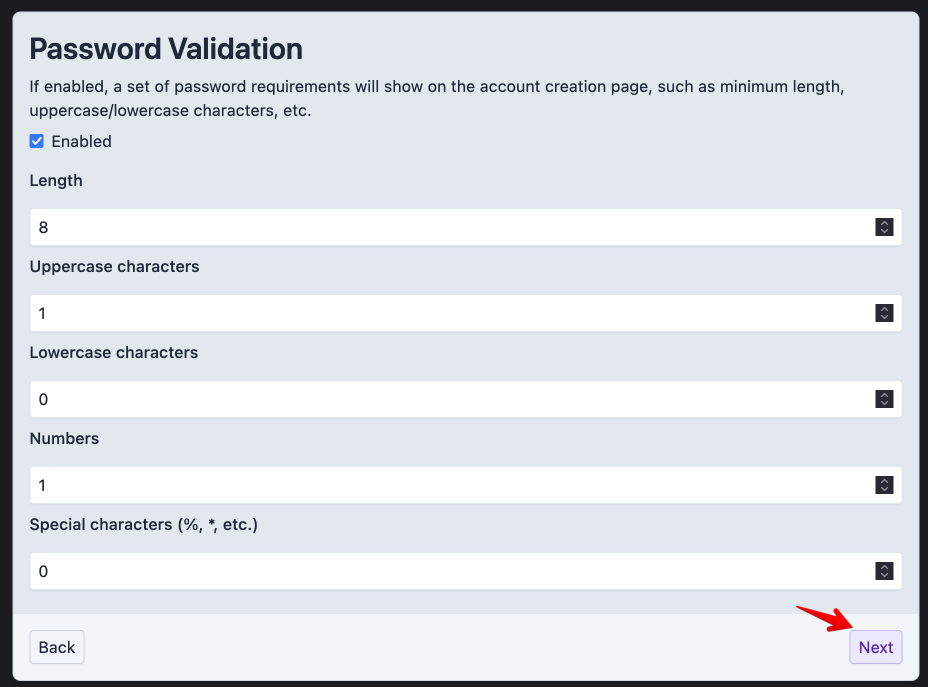
Setup password validation requirements:
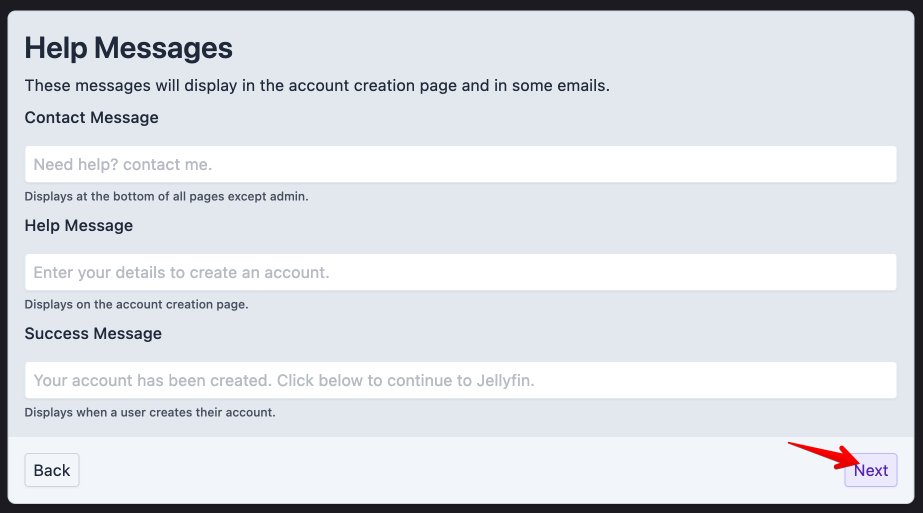
Setup contact info
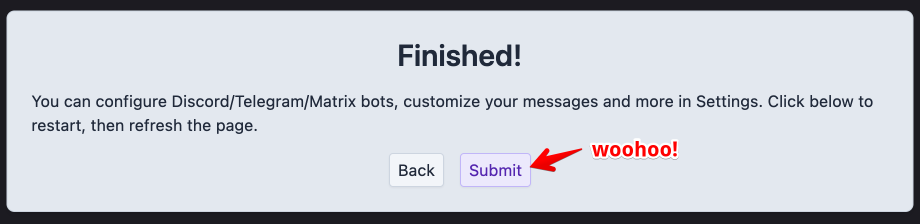
Done! 
jfa also works with
How do I get support for jfa?
-
For general use of jfa, refer to the official site or to one of the links in the resources section below.
-
For specific support re your ElfHosted configuration / account, see the ElfHosted support options!
Sponsor jfa ❤️
You can contribute directly to the development of jfa using the following:
jfa resources
What users say..
We're rocking some excellent  TrustPilot Reviews, and here's what some of our
usersfriends say..
Excellent service, along with an even better customer service. 100% would recommend.
Products work as advertised. Priced what I would consider reasonably for what you get. Had one outage in a month but took them about ten minutes to resolve it so that's fine.
I've not had to use support personally but it seems to be responsive from what I've seen when other people ask for help.
You'd normally get worse service, and a worse product for the amount you're paying, so I can recommend.
I am absolutely stoked with my experience with ElfHosted! I paid for their Elf Wizard VIP Setup Experience, and it was worth every single penny.
My elf wizard, Waansin, was absolutely fantastic to work with. He was incredibly kind, caring, and clearly knows these products inside and out. He took the time to ensure everything was configured perfectly and got a totally awesome service up and running for me without any hassle.
The range of services ElfHosted offers is fantastic. The platform itself is fast, rock-solid stable, and delivers exactly what I want. What really gives me peace of mind is knowing how stellar their support is—I feel completely confident that if anything ever goes wrong, they will be right there to help me fix it.
If you are on the fence, definitely go for it. Huge thanks to Waansin and the team for the top-tier service!
Amazing service. So simple, I just works. Great way to support the broader community.