Cleanuparr
Updated
Cleanuparr is the housekeeper for the Arrs stack. It watches the Radarr and Sonarr queues, identifies items that have stalled, blocked, or otherwise gone wrong (a download stuck at 99 %, a release that doesn't match the expected hash, a torrent with zero seeders), removes them cleanly, and optionally re-queues a fresh search to replace what was just removed.
Without Cleanuparr, the Arrs queues silently fill with stuck items that need manual intervention. With it, the queues self-heal.
When does managed Cleanuparr make sense?
- You run busy Radarr / Sonarr instances with many concurrent grabs and don't want to babysit the queues.
- You hit "stalled" downloads regularly: debrid releases that don't cache, Usenet posts that have been removed, torrents with no seeders.
- You want blacklist enforcement so junk releases (recompressed, mislabelled, low-quality) get rejected and replaced automatically.
- Pair with Decypharr or Balrog: Cleanuparr watches qBittorrent-compatible download clients. Use Decypharr for Real-Debrid style queues, or Balrog for Debridge-backed personal media stacks.
How to wire it up on ElfHosted
- Open Cleanuparr from your apps dashboard.
- Connect Radarr and Sonarr: for each, enter the in-cluster URL (
http://radarr:7878,http://sonarr:8989) and the API key. - Connect your download client: Decypharr, Balrog, or another supported qBittorrent-API-compatible client. Do not add Debridge itself as the download client. For Debridge stacks, connect Balrog, because Balrog is the qBittorrent-compatible layer that Radarr, Sonarr, and Cleanuparr can talk to.
- Configure rules: how long an item can stall before cleanup, blacklist patterns, whether to auto-search after removing.
- Set the schedule: Cleanuparr runs on a cron-like cadence; default is every 30 minutes.
The defaults are sensible for most setups. Tune the timeout and blacklist if you find Cleanuparr is either too aggressive (removing items that would have completed) or too patient (letting the queue rot).
Get a 7-day trial of ElfHosted Cleanuparr! 
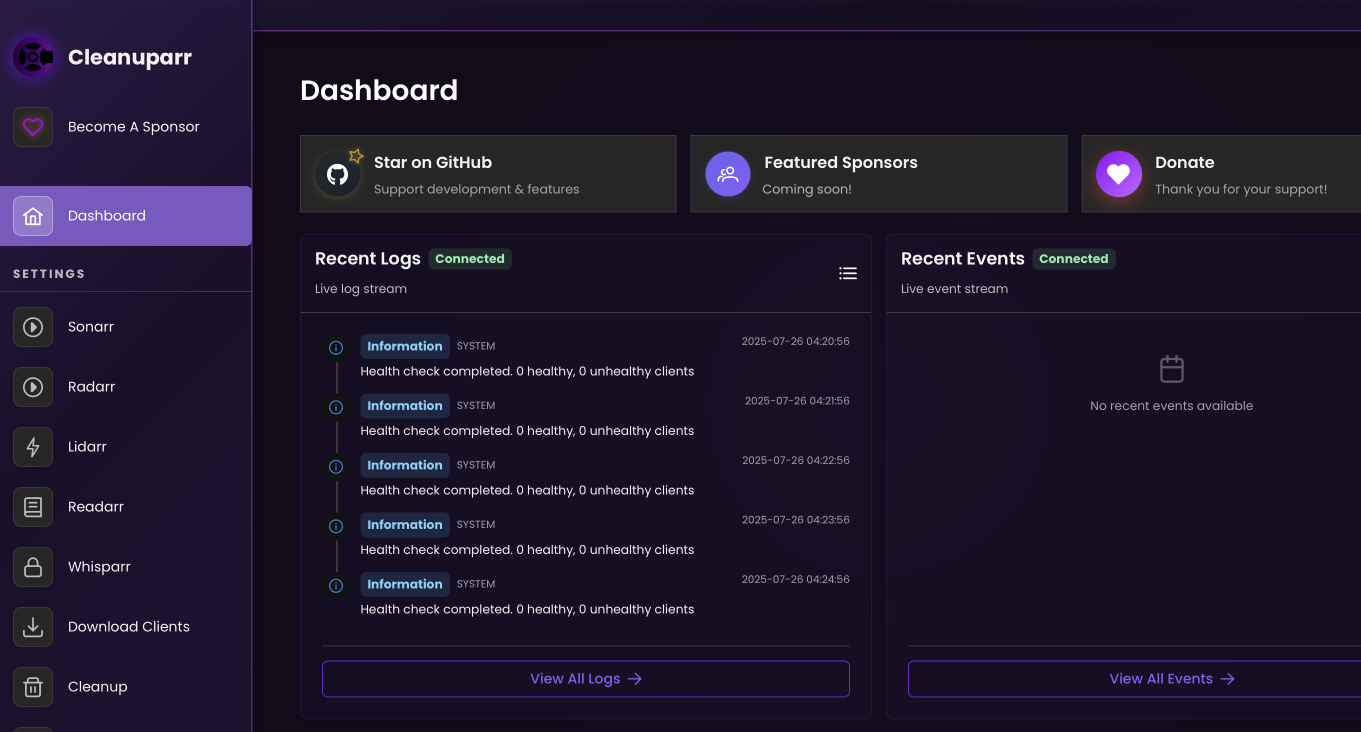
Cleanuparr's dashboard, with the services it is watching and what it has done recently.
How do I access Cleanuparr?
Cleanuparr is available:
- From your dashboard: https://your-username.elfhosted.com
- Directly: https://your-username-cleanuparr.elfhosted.com
Signed-in users see their own URLs
The addresses above show the general pattern. Sign in and these become your personal, clickable links.
Info
Cleanuparr is an open-source tool. ElfHosted provides hosting infrastructure only. Users are responsible for their use of this service in compliance with applicable laws and third-party terms of service.
Cleanuparr also works with
How do I get support for Cleanuparr?
-
For general use of Cleanuparr, refer to the official site or to one of the links in the resources section below.
-
For specific support re your ElfHosted configuration / account, see the ElfHosted support options!
Sponsor Cleanuparr ❤️
You can contribute directly to the development of Cleanuparr using the following:
Cleanuparr resources
Your content, your responsibility
ElfHosted provides Cleanuparr as a hosted application — we do not supply content, accounts, or third-party credentials. You are responsible for ensuring that your use of this app complies with applicable laws and our Acceptable Use Policy. If you have questions about what is or isn't permitted, please reach out — we're happy to help.
What users say..
We're rocking some excellent  TrustPilot Reviews, and here's what some of our
usersfriends say..
Great service, Great support. Glad I found them. -Satch
OMG! I thought i was the master at this, i was wrong. These guys are the experts. I was looking for the ultimate setup and they more than delivered. I recommened paying for the wizard expert help.
Amazing service, make self hosting easy.
There so helpful and willing to go out if there way to get you all setup. They went out of there to help me get my media server setup and running and organized properly since I was total noob at it.